













PUBG Mobile
0.0
0 reviews
$ USD0.00
--
|
--
1
Necessary Information
How to Find your PUBG Mobile UID?
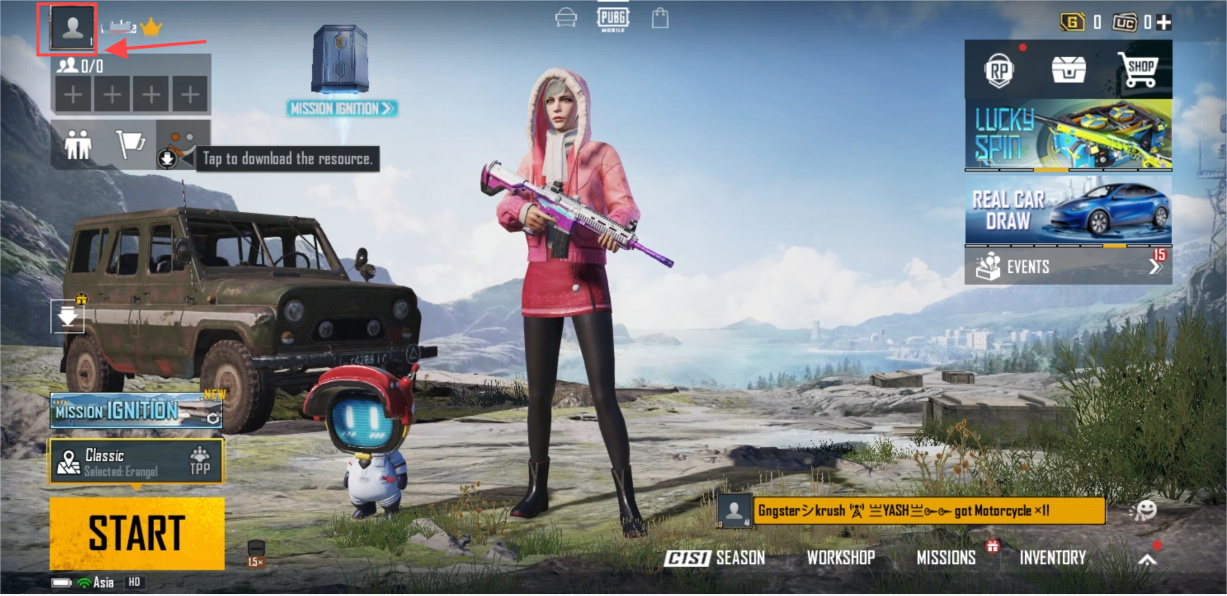
1. Log in to your PUBG Mobile account.
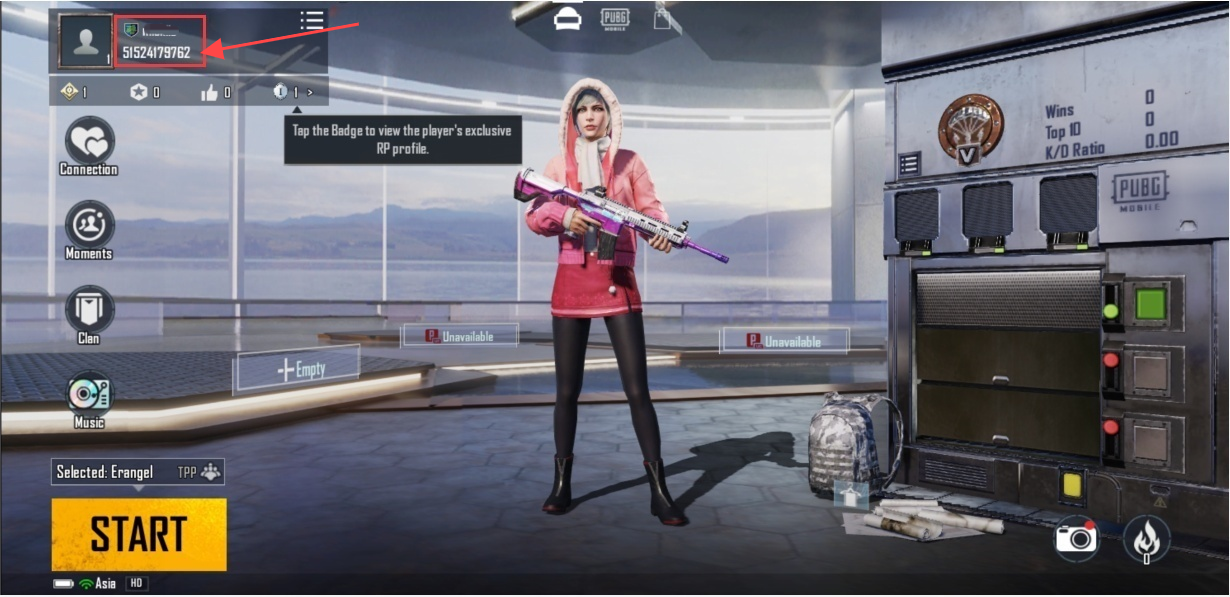
2. Click your avatar in the upper left corner to enter the [Basic Information] page.
3. Your UID will be displayed above your avatar. Click the copy icon next to it to quickly copy it.
How to Check PUBG Mobile Top Up Results?
After a successful PUBG UC top-up, you can check your in-game mailbox for the UC credited to your account.
×
![]()